
How Wellness App Finch Uses Gamified Widgets to Drive Retention
Apps have taken over as the IAP driver on App Store. They must be doing something right. We here at Deconstructor of Fun are here to share the insights.
This deconstruction is from our consulting partner, Vin. Check out our consulting services here - we’ve leveled up some of the hottest and fastest growing apps out there!
Widgets are an under-used and important retention unlock in today’s app ecosystem. They are a critical driver of repeat user behavior for mental wellness app Finch. Finch was founded in May 2021 and is scaling: they have an estimated 10 million monthly active users, and their D1/D7 retention rates are 54%/37%. Compare these retention rates to leading consumer apps like Duolingo and Royal Match, which boast 51%/35% D1/D7 retention rates and 40%/25% D1/D7 retention rates respectively. (special thanks to Sam Aune from Sensor Tower for the data)
Users on Finch complete daily mental health tasks (mood tracking, journaling, goal completion) to earn rewards and evolve their virtual pet. The core loop: Do self-care tasks → Earn rewards (energy, outfits, room decor) → Make progress (evolve pet, unlock new areas, complete adventures).
Widgets are persistent real estate on a user's home screen. Think about your users: when they check their phones every few minutes, widgets are providing passive value without an urgency to jump in. Unlike push notifications, they do not get pushed down a queue, or go stale from disuse. Widgets are a powerful new re-engagement channel on the same playing field as emails, push notifs and text messages.
How does Finch integrate widgets to drive retention?
Finch’s Four Widget Mechanics
Widget Mechanic #1: A “living pet” permanently on your screen
The Finch widget is a window into your pet's life. The design philosophy centers on presence; your pet experiences a life even while you're away. They have adventures during the day, sleep at night, just like you do. It’s akin to having a live video feed of your pet at home while you're at work; they're not “frozen” when you're gone.
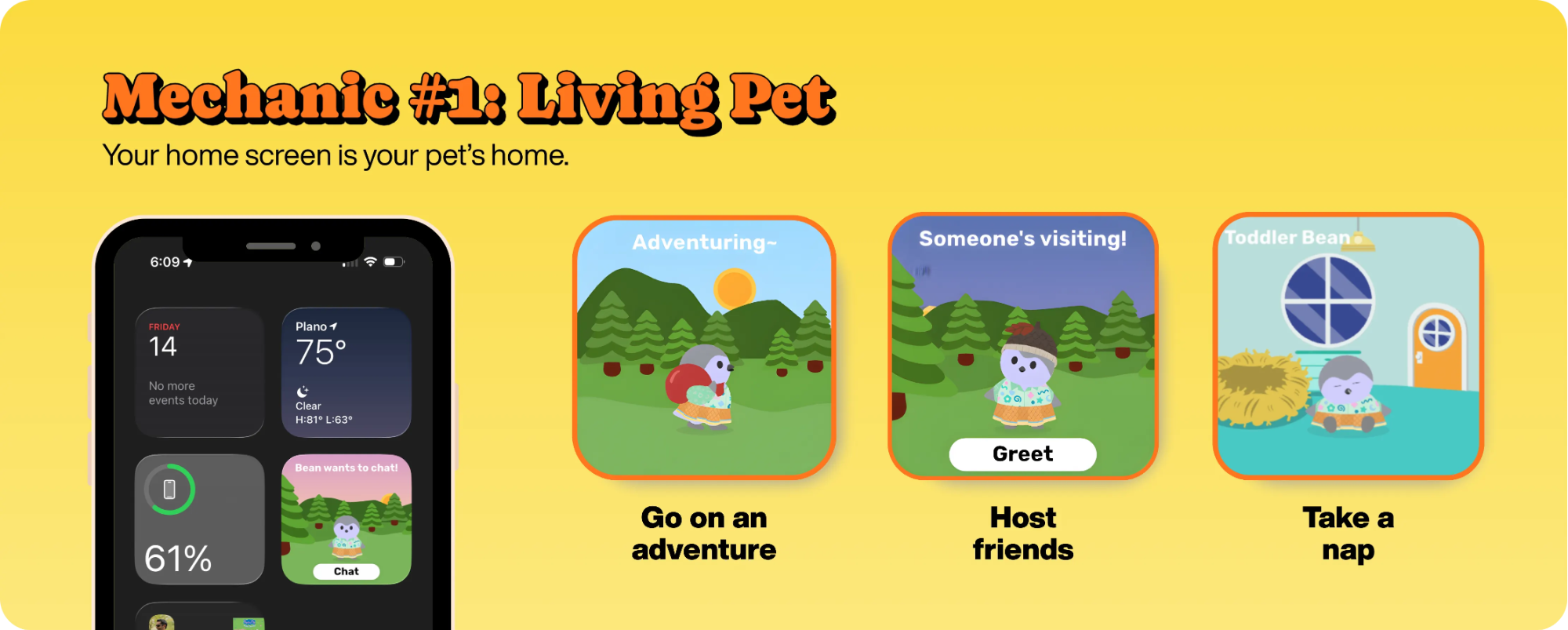
Customization and personalization are also deeply embedded into the product, and the widget reflects this. Your widget displays your pet, not something generic: your choices in clothing, accessories, room decor and even environment are present in the widget. When your pet evolves or the seasons change, your widget appearance changes. Philosophically, this is an important design choice because it creates emotional investment and a stronger desire to maintain your relationship with your pet (and by extension, the Finch app).
Widget Mechanic #2: "Appointment mechanics” are deeply integrated into the widget
“Appointment mechanics” in games are a staple re-engagement mechanic; in Clash Royale, you come back to open a timer-gated chest; in Wordle, you come back to get today’s new puzzle. Finch creates an appointment mechanic with a feature called “Adventuring”; you complete enough self-care tasks for the day, and your Finch will go on a timer-based adventure. The Widget maximizes impact for Adventuring; (1) the “In Progress” state shows how your pet is occupied during long stretches of the day; (2) the “Completed” state encourages you to return and get the rewards.
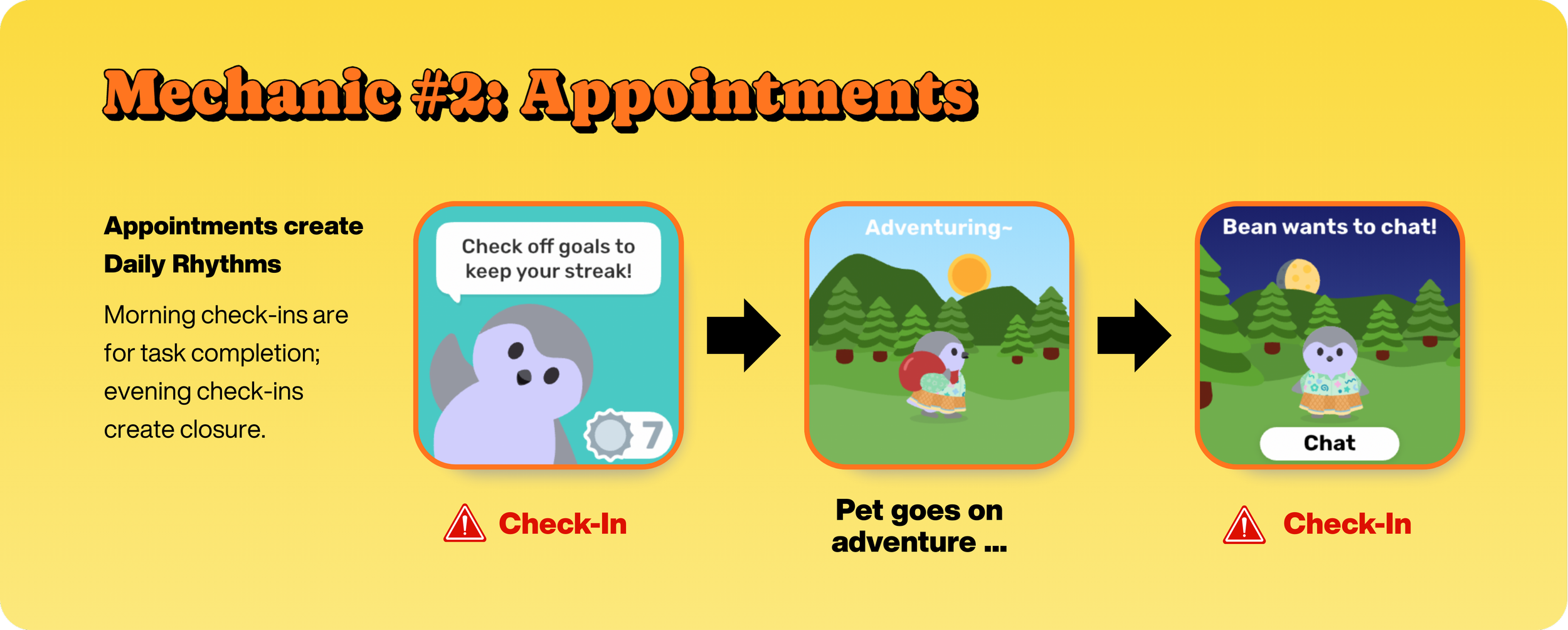
The mechanic creates organic return windows without constant nagging.
Widget Mechanic #3: Progress Bar keeps you focused on the core objective
Finch’s widget uses a progress bar to keep you focused on accomplishing the key objective: completing enough self-care tasks daily. It's non-forceful but very clear and simple: finish your self-care tasks for the day.
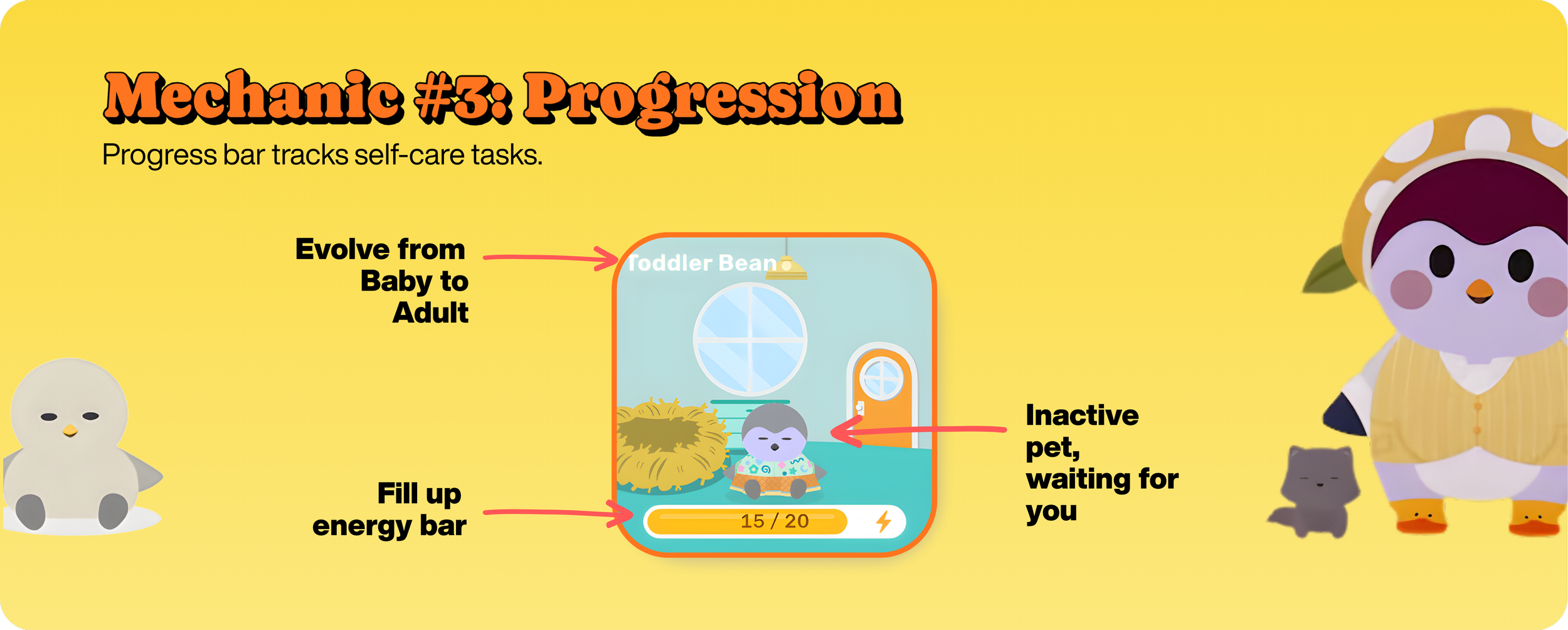
The goal is to get your pet to "Adventuring” (see Mechanic #2 above). Completion of the bar triggers the adventuring cycle, creating a direct connection between your actions and the pet's activity. The progress bar turns abstract self-care into concrete visual movement toward a reward you care about.
Widget Mechanic #4: "Micro-events" create daily rhythm anchors with clear CTAs
Morning check-ins encourage you to complete your Finch tasks and keep your streak. The design pushes you to finish enough tasks in the first half of the day so you can check back by evening for the "Chat" with your pet after their 6-hour adventure is complete.
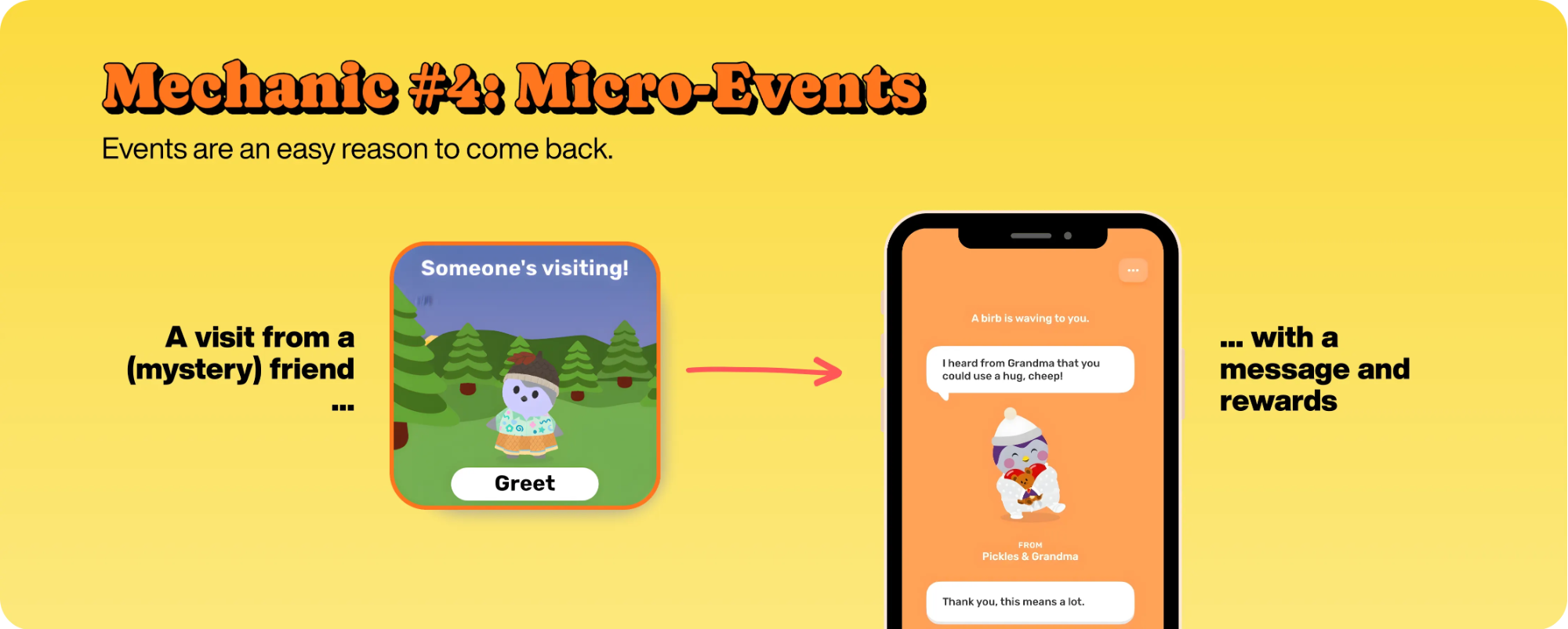
That's the reward: seeing what your pet discovered. Friend visits are random surprises (wonder what they brought?) that add bonus engagement without being core to the daily loop. This is “anti-nag”; instead, event-driven hooks drive curiosity and then engagement.
Key Takeaways
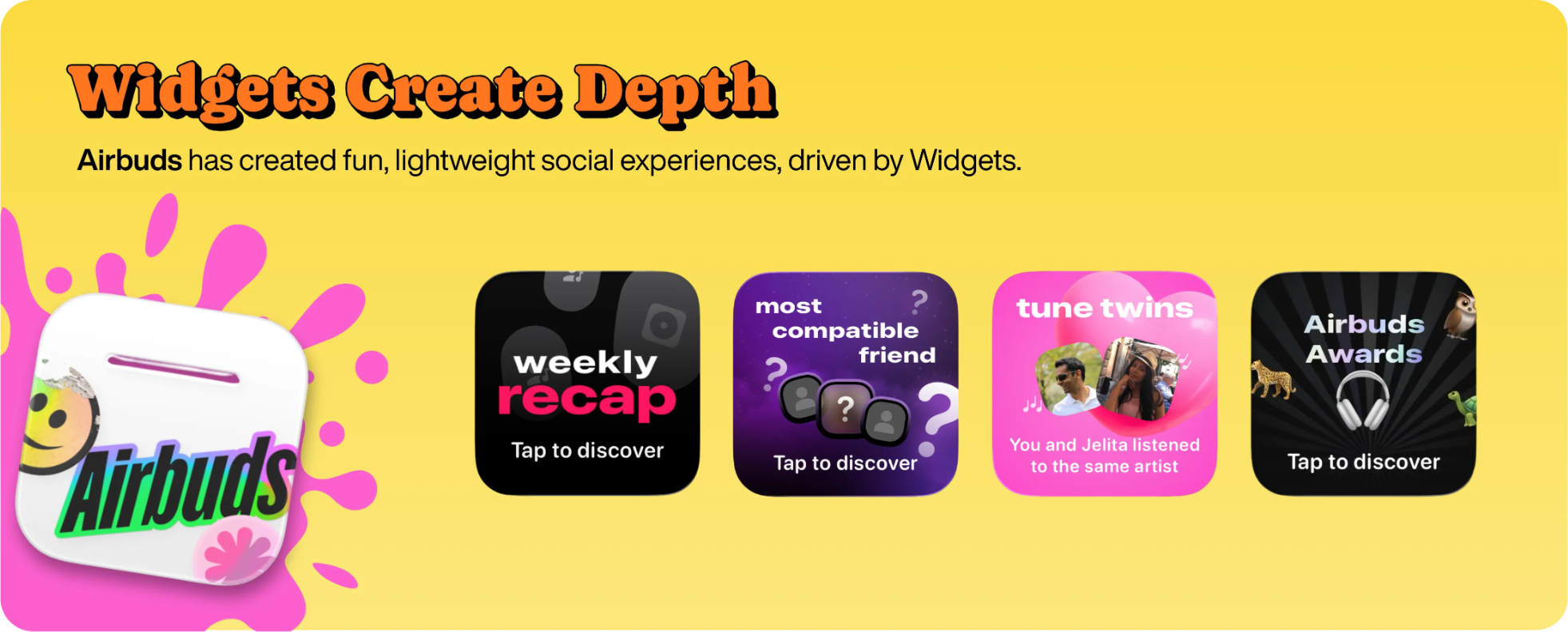
Here are the key takeaways from Finch’s widget design:
1. Design for continuous value, not snapshots. Finch's pet creates an "always with you" feeling. Weather widgets show continuously evolving conditions. Airbuds surfaces what friends are listening to right now. The pattern: find elements of your product that have a continuous, live, or evolving state, then surface that in the widget.
2. Use appointment mechanics and let the widget communicate the appointment. Great consumer apps have appointment mechanics: timer-gated rewards, daily refreshes, time-limited Finch’s widget tells you that adventures are "In Progress" or "Completed" when ready. The widget makes appointments visible throughout the day without constant notifications.
3. Use progress bars to create clear visual objectives. Turn abstract goals into concrete visual progress. Make the connection explicit: complete X, unlock Y. Keep it simple: one clear bar, not multiple competing metrics. The progress bar bridges daily tasks to a reward users care about.
4. Design micro-events around daily rhythm, not constant nudges. “Events” should be mapped to natural transition points in the day: morning check-in, evening reflection. Mix core anchors (streak maintenance) with surprise bonuses (friend visits, social activity). The widget shows these moments passively. Users check when curious, not when interrupted.
Conclusions
Finch's widget strategy is to generate a continuous app presence via a virtual pet. The widget drives engagement through dynamic states, appointment mechanics, visual progress, and event-driven hooks. The result is a product that exists in your daily rhythm without demanding constant attention. This is how you compete when customer acquisition costs are $20+ per install, and you can't afford to lose users in Week 1.
Widgets are a powerful retention tool. Don't treat them as a replacement for push notifications or emails - treat them as a complementary channel in your lifecycle strategy that lives where users already spend attention.
